Introduction
You can configure the tab for DNP3 NET server channels.
Access the Configuration Tab
Access the configuration parameters on the tab in Control Expert:
Step |
Action |
|---|---|
1 |
|
2 |
Confirm that you already created client or server channels. |
3 |
In the menu, expand () the sub-menu. |
4 |
Select from the sub-menu. NOTE: The tab is not available for channels.
|
5 |
Select the tab tab. |
6 |
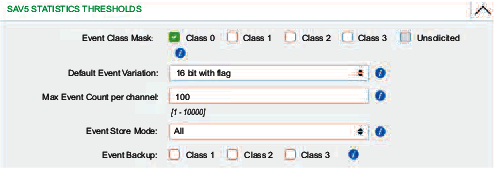
Configure the event parameters. NOTE: The parameters on the tab are similar to the DNP3 data mapping
parameters.
|
7 |
Click the or button to implement your configuration changes. |
NOTE: Configure
the DNP3 SAv5 security
events (object 121/122) on the web pages.