


Overview
In addition to adding a module to the PLC Bus, you need to add the DTM for that module to the . After a module DTM has been added to the , you can use Control Expert to:
configure DTM properties
monitor dynamic DTM properties during run-time
Adding a New DTM to the DTM Browser
To add a new DTM to the , follow these steps:
Step |
Action |
|---|---|
1 |
In the Control Expert main menu, select . The opens displaying the CPU you selected for the project. |
2 |
Select the CPU, and click the right mouse button. A context menu opens: 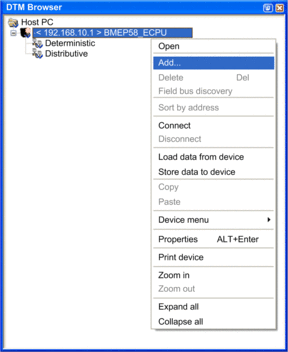 |
3 |
Select . The dialog opens: 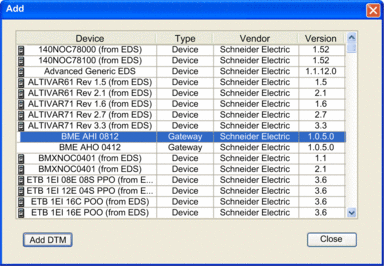 |
4 |
Select an input or output module that you previously added to the , and then click . The dialog opens: 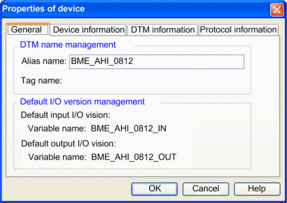 |
5 |
Accept the proposed by Control Expert or type in a different name; then click . Control Expert adds a new module to the : 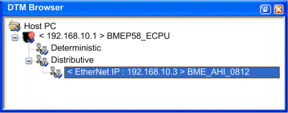 |