


At a Glance
The channel diagnostics function displays detected errors when they occur, classified according to category:
Internal detected errors
inoperative channel
calibration detected error
External events
sensor link event
range overflow/underflow
Other detected errors
configuration detected error
communication loss detected
application detected error
value outside range (output channel)
channel not ready
A channel detected error is indicated in the tab when the  LED, located in the column, turns red.
Procedure
To access the channel detected dialog, follow these steps:
Step |
Action |
|---|---|
1 |
Open the module debugging screen. |
2 |
For the inoperative channel, click
the button Result: The list of channel detected errors appears. 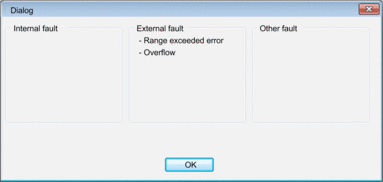 Note: Channel diagnostics information can also be accessed by program (instruction READ_STS). |
 situated in the