Fipio addressing of sealed I/O modules
(Original Document)
Introduction
The connection of the I/O modules of the IP67 family to the Fipio bus requires their address to be defined on the Fipio bus. This addressing must be carried out physically on the module using Control Expert software (hardware configuration mode).
This addressing uses two thumbwheel switches and enables up to 98 I/O modules (1 to 62 and 64 to 99) to be connected to the bus.
Access to thumbwheels
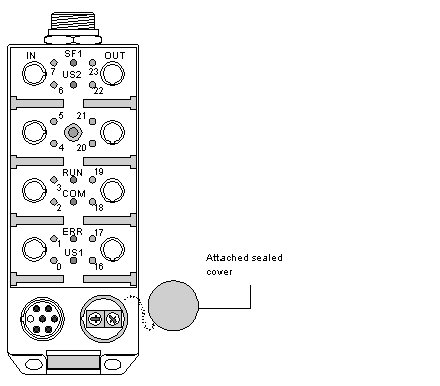
The thumbwheels are protected in an M23 connector located to the bottom right of the module and the protective plug of the thumbwheels is attached to the module by a small chain.
Allocating the code
WARNING
UNEXPECTED APPLICATION BEHAVIOR
Before changing module address, turn off the power supply and temporarily disconnect the Fipio bus connection to the module.
Failure to follow these instructions can result in death, serious injury, or equipment damage.
Address 0 is reserved for the Fipio bus controller and address 63 is reserved for the connection of the programming terminal.
The figure below shows the two thumbwheels when the plug has been removed:
The code is read directly, the most significant value (tens) is on the left and the least significant value (units) is on the right.
After changing the code, the plug must be screwed back in place correctly and the Fipio connection replaced to ensure that the module is sealed.