


Position on the Local Rack
Every M580 standalone system requires one controller. The controller is installed in the two-module slot position directly to the right of the power supply in the main local rack. The controller cannot be put in any other slot location or any other rack. If there are extended racks in the local rack configuration, assign address 00 to the rack with the controller.
Refer to the list of M580 standalone controllers.
When the default IP address in the
10.10format is used, employ a connection in a point-to-point way, with a cable directly connecting the module, or controller, or NOC, to the PC.
Dimensions
This graphic shows the front and side dimensions of the M580 standalone controllers:
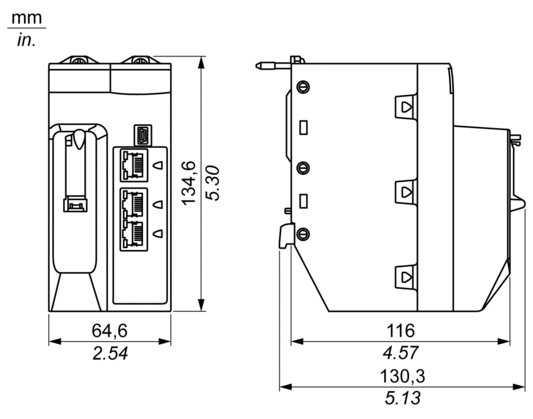
29.49 mm (1.161 in.) for an Ethernet rack
30.9 mm (1.217 in.) for an X Bus rack
Front and Rear Views
Standalone controllers have similar front panels. Depending on the standalone controller you choose, these differences apply:
BMEP58•020: The embedded Ethernet I/O scanner service supports DIO only.
BMEP58•040: The embedded Ethernet I/O scanner service supports both RIO and DIO.
Physical features:
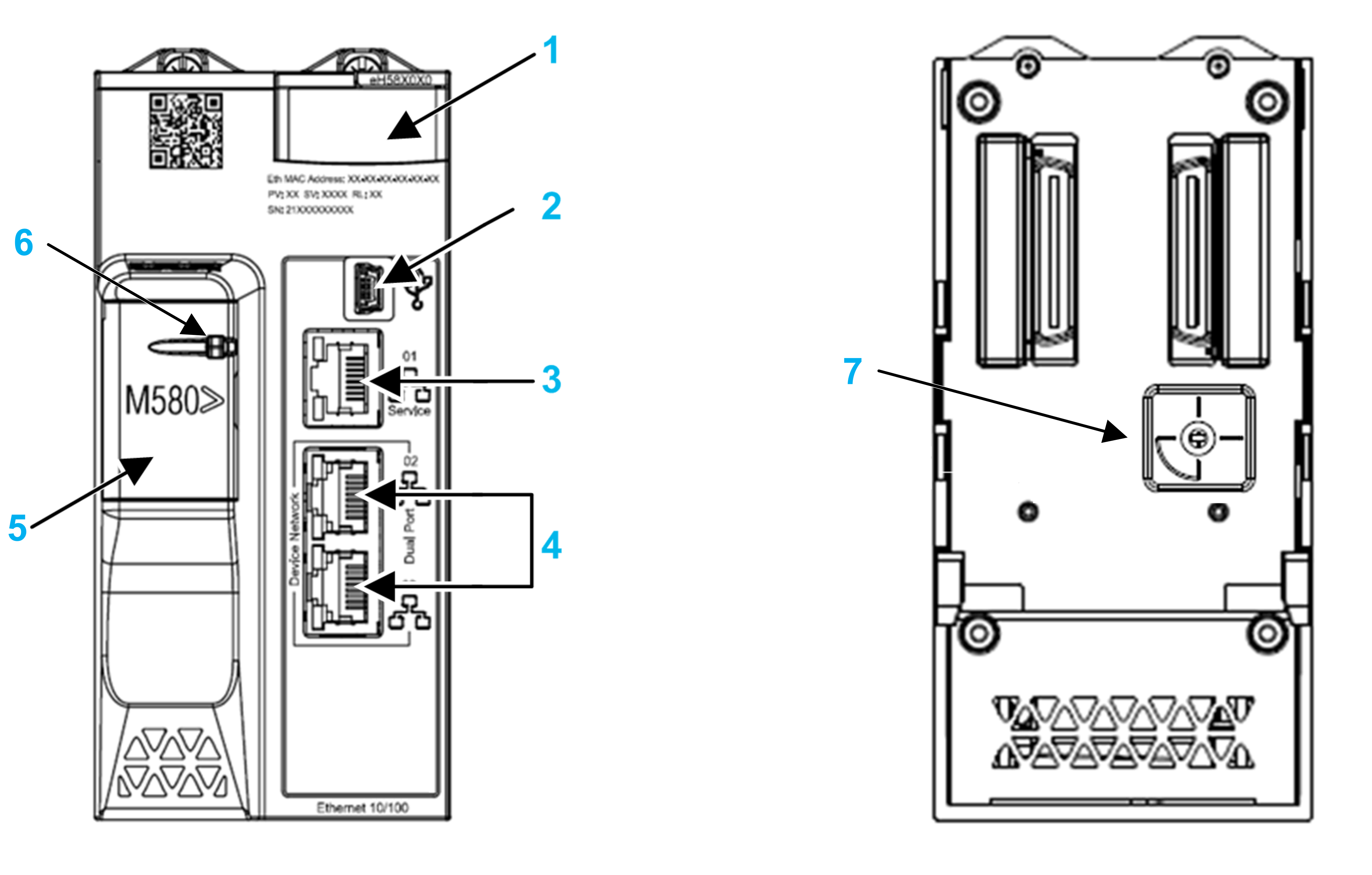
1 LED diagnostic display panel for controller status and diagnostics
2 Mini-B USB port for module configuration via PC running Control Expert
3 RJ45 Ethernet service port connector
4 RJ45 connectors that together serve as a dual port to the Ethernet network
5 SD memory card slot (behind door)
6 SD memory card lockable door
Cybersecurity Rotary Selector Switch
Use the rotary switch on the back of each M580 PAC to configure a cybersecurity operating mode for the module:

Switch positions are:
Standard: the module supports basic cybersecurity features.
Advanced: the module supports advanced cybersecurity features.
Reset: the module returns to its out-of-the box cybersecurity setting.
The out-of-the-box switch position is Standard.